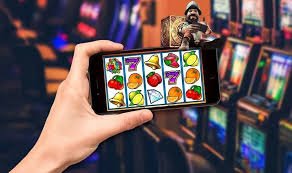
Get the pinasgems app on your Android or iOS device and bring the full platform with you — sports betting, casino-style games, fish shooting, and more. Designed for Filipino players who want fast, mobile-first access without being tied to a desktop.
The pinasgems download page is where Filipino players can get the platform's dedicated mobile app for their Android or iOS device. Instead of always opening a browser to visit the site, the app gives you a faster, more streamlined way to access sports betting, casino-style games, the fish shooting game, and your account — all from your home screen. The app is built specifically for the Philippine market, so the interface is in Philippine English and all amounts are shown in Philippine pesos (₱). Whether you are using a budget Android phone or a newer iOS device, the app is designed to run smoothly on the kinds of smartphones most commonly used across the Philippines. If you already have an account, just log in after installing; if you are new, you can register directly from the app in a few minutes.
Four reasons Filipino players prefer the pinasgems mobile app over browser-only access.
The pinasgems Android app is available as a direct APK download, which means you do not need to go through the Google Play Store to get it. This is a common and widely understood installation method in the Philippines, and the process takes only a few steps once you have the file on your device. The APK is kept up to date so you always get the latest version of the platform with the most current game library and sports coverage. Before installing, you will need to allow installation from unknown sources in your Android settings — a standard one-time step that takes under a minute. Once installed, the app icon sits on your home screen and opens directly to the pinasgems lobby without any extra loading screens.
Filipino players using iPhones or iPads can access pinasgems through the mobile browser, which is fully optimised for iOS Safari and delivers an experience very close to a native app. The layout adapts cleanly to all iPhone screen sizes, from older SE models to the latest Pro Max, so nothing feels cramped or out of place. Touch targets are sized correctly for finger navigation, and the game lobby, sports section, and account pages all load quickly even on standard mobile data connections. For players who want a more app-like feel on iOS, adding the pinasgems site to your home screen via Safari's "Add to Home Screen" option creates a shortcut that opens the platform in full-screen mode. The FAQ page has step-by-step instructions for setting this up on your iPhone or iPad.
The pinasgems app is optimised to perform well on the mobile network speeds that are typical across the Philippines, including areas where LTE coverage can be inconsistent. Pages and game assets are compressed and cached intelligently so the app does not feel sluggish even when your signal drops briefly. Sports scores and live game updates are delivered efficiently so you stay informed without the app consuming excessive data in the background. The interface prioritises the content you actually use — your account balance, active games, and current sports events — so the most important information loads first. This local-first performance approach is one of the things that makes pinasgems feel noticeably more responsive than generic international platforms that were not designed with Philippine connectivity in mind.
All the Philippine payment methods supported on the desktop version of pinasgems are fully available inside the mobile app, including GCash, Maya, online banking transfers, and over-the-counter options at convenience stores and remittance centres. Deposits and withdrawal requests can be submitted directly from the app without needing to switch to a browser or visit a separate payment portal. All transaction amounts are displayed in Philippine pesos (₱) so there is never any confusion about what you are sending or receiving. The payment section of the app is clearly laid out with step-by-step prompts so even first-time users can complete a deposit without needing to consult a guide. If you run into any questions about payment methods or processing times, the FAQ section has a dedicated payments topic with current details.
Open pinasgems in your mobile browser and navigate to the Download section. You will see the Android APK download button and iOS instructions clearly displayed at the top of the page.
On Android, go to Settings, then Security or Privacy, and enable "Install unknown apps" for your browser. This is a standard one-time step required for any APK that is not from the Play Store, and it takes under a minute to complete.
Tap the download button to save the pinasgems APK file to your device. Once the download is complete, open the file from your notifications or Downloads folder and follow the on-screen prompts to install. The whole process takes about two minutes on a standard Philippine mobile connection.
Open the installed app from your home screen, then log in to your existing account or register a new one in a few minutes. Once inside, the full game lobby, sports section, and payment tools are immediately available.
The app is your gateway to every section of pinasgems — here are the main places to explore first.
Quick answers to what Filipino players ask most about downloading and using the mobile app.
Download the pinasgems app today and get instant access to sports betting, casino-style games, the fish shooting game, and local PHP payments — all in Philippine English, built for Filipino players. Register now to unlock everything, or log in if you already have an account.